Spotting Differences: How to Compare Code, Text, and Config Files Efficiently
Compare two versions of any text and find every change instantly. Why diff checking is the secret weapon of careful developers, writers, and anyone who works with documents.
"I didn't change anything" is always a lie
After years of software development, I've heard this phrase at least a hundred times. Often from my own mouth.
"It worked yesterday. I didn't change anything!"
And then you run a diff and discover you changed timeout: 5000 to timeout: 500. One zero. Three hours of debugging.
This isn't a rare mistake. Research on software defects shows that a significant percentage of production bugs come from unintended changes. Code that was modified but shouldn't have been. Config values that were accidentally changed during other edits. A single character that got deleted during a copy-paste.
Visual scanning is unreliable. Our brains are terrible at spotting single-character differences in walls of text. The science of inattentional blindness explains why: we literally don't see what we're not specifically looking for. You can stare at two versions of a file for ten minutes and miss the one character that breaks everything.
Why every experienced developer uses diff tools
In code review processes at companies like Google and Microsoft, diff tools are fundamental. You never review code by reading two files side by side and trying to spot differences manually. You review the diff.
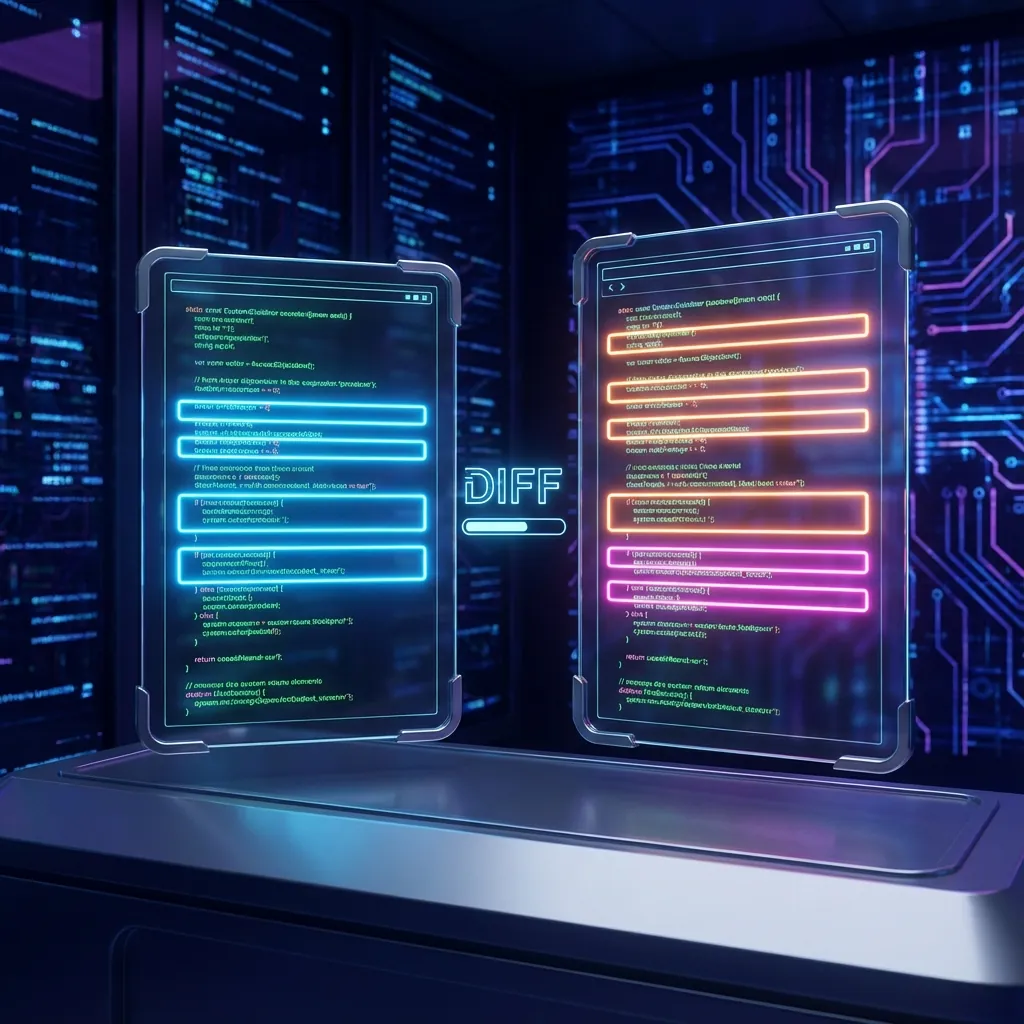
The tool overlays two versions and highlights exactly what changed:
Green lines are additions. Red lines are deletions. Yellow highlighting shows character-level changes within a line.
A task that would take an hour of careful comparison becomes a ten-second scan.
Beyond code: where diff tools save time
After years of using diff tools daily, here are the scenarios where they've saved me from mistakes:
Contract review. A vendor sends back a "slightly revised" agreement. You run a diff against the original. Did they add a liability waiver you didn't agree to? Did the payment terms change from net-30 to net-60? You'll know in seconds instead of reading the entire document again.
Configuration debugging. Production is broken but staging works fine. You diff the environment files. The problem is almost always visible immediately. A missing environment variable. A different API endpoint. A typo in a database connection string.
Content editing. Comparing article drafts to see what an editor changed. Essential for tracking revisions in collaborative writing. You can accept or reject specific changes instead of guessing what's different.
Database migrations. Before and after schema dumps to verify that only the intended changes were applied. If you meant to add one column and the diff shows three changes, something went wrong.
Security audits. Comparing configuration files against known-good baselines to detect unauthorized modifications. If someone changed a firewall rule or added a user account, the diff shows it.
CSS debugging. Your styles look different after a refactor. Diff the old and new CSS files to find exactly which rules changed.
Why a standalone diff tool matters
Most IDEs have built-in diff functionality. Git has diff commands. But these tools require files, a repository, or a specific development environment.
Sometimes you just have two snippets of text and need a quick comparison. You're looking at an error message and a working example. You have two versions of a JSON response. You're comparing a configuration someone sent you with your own.
The Diff Checker handles exactly this: paste text on the left, paste text on the right, see the differences. No files to create. No git repository needed. No development environment required.
It runs entirely in your browser, so core processing runs locally in your browser. That matters when you're comparing sensitive content like contracts, configurations, or internal documents.
How diff algorithms work (briefly)
Most diff tools use a variation of the Myers diff algorithm, which finds the shortest sequence of edits needed to transform one text into another. It works by comparing lines first, then drilling down to character-level differences within changed lines.
The result is a clear visual representation of what changed:
- Lines that exist only in the left version are marked as deleted.
- Lines that exist only in the right version are marked as added.
- Lines that exist in both but have minor differences are highlighted at the character level.
You don't need to understand the algorithm to use the tool. But knowing how it works helps you interpret the results. If a line shows as deleted and added instead of modified, it usually means the change was substantial enough that the algorithm couldn't find a clean mapping between the two versions.
Common diff patterns and what they mean
A single line changed in a config file. Usually a typo or an intentional update. Check if the change was deliberate.
Many lines changed with the same indentation shift. Someone reformatted the file. The content didn't change, just the whitespace. Most diff tools can ignore whitespace if you toggle that option.
A block of lines deleted and replaced. A refactor or a feature change. Read the before and after to understand what the change does.
One character changed in a long string. This is the dangerous one. A single character difference in a hash, a key, or a URL can break everything. Character-level highlighting catches these.
Lines moved from one location to another. Some diff tools show this as a delete and an add. Others detect the move and show it as a relocation. The content is the same, just in a different place.
Making diff checking a habit
Before every deployment, diff your changes against the previous version. Before signing any document, diff it against the original. Before diagnosing a "nothing changed" bug, diff everything.
The habit takes five seconds. The mistakes it prevents take hours to fix.
Trust the diff, not your eyes.
Frequently asked questions
What's the difference between a diff tool and version control?
Version control systems like Git track changes over time and store the history of every modification. A diff tool compares two specific versions and shows you what changed between them. Git has diff capabilities built in, but a standalone diff tool is useful when you're working outside of a version control system.
Can I diff files instead of pasting text?
The Diff Checker works with pasted text. For file-based diffing, use your IDE's built-in diff or a command-line tool like diff on Linux and macOS or fc on Windows.
Does the diff tool work with code in any language?
Yes. The diff algorithm doesn't care about the language. It compares text line by line. It works with code, configuration files, plain text, JSON, YAML, CSV, and anything else that's text-based.
Can I diff binary files like images or PDFs?
Text-based diff tools don't work with binary files. For images, you need a visual diff tool that compares pixels. For PDFs, you need a PDF-specific comparison tool. The Diff Checker is designed for text content.
How large can the text be?
Browser-based diff tools are limited by your device's memory. Most can handle files up to several megabytes without issues. For very large files, use a command-line diff tool.
Final note
A five-second diff check could have prevented countless production outages, security issues, and debugging sessions. The tool is right here: Diff Checker. Paste, compare, see what changed.
Make it a habit. Your future self will thank you.

Muhammad Abdullah
Technical WriterTechnical writer specializing in web development tutorials and developer tooling guides. Covers frontend frameworks, API integrations, and productivity...
Share this article
Discover More
View all articles
Stop Posting Ugly Code Screenshots: How to Create Beautiful Code Images
Your code deserves better than a blurry screenshot. Here's how to generate beautiful, syntax-highlighted code images that get more engagement on social media.
Base64 Encoding Explained: What It Is, When You Need It, and When It'll Bite You
Stop copy-pasting into random websites. Here's what Base64 encoding actually does, where it's used in real systems, and a free tool to encode and decode instantly.

The Browser-First PDF Workflow: Merge, Split, and Compress Without Uploading Anything
A practical workflow for merging, splitting, and compressing PDFs directly in your browser. No desktop software, no uploads.
Use These Related Tools
View all toolsAI Text Summarizer
Advanced AI-powered text summarization using browser-native machine learning. Unlimited and completely free.
Text to Speech
Convert text to natural speech with 54 AI voices. Free, unlimited, runs entirely in your browser with core processing runs locally.
Email Signature Generator
Design professional email signatures with 8 templates, brand colors, custom fonts, photo, CTA, disclaimer, vCard export, and live Gmail/Outlook preview. Free, no signup, runs in your browser.
List Processor
Organize, sort, and deduplicate lists with professional data tools.
Need a tool for this workflow?
Axonix provides 100+ browser-based tools for practical development, design, file, and productivity tasks.
Explore Our Tools