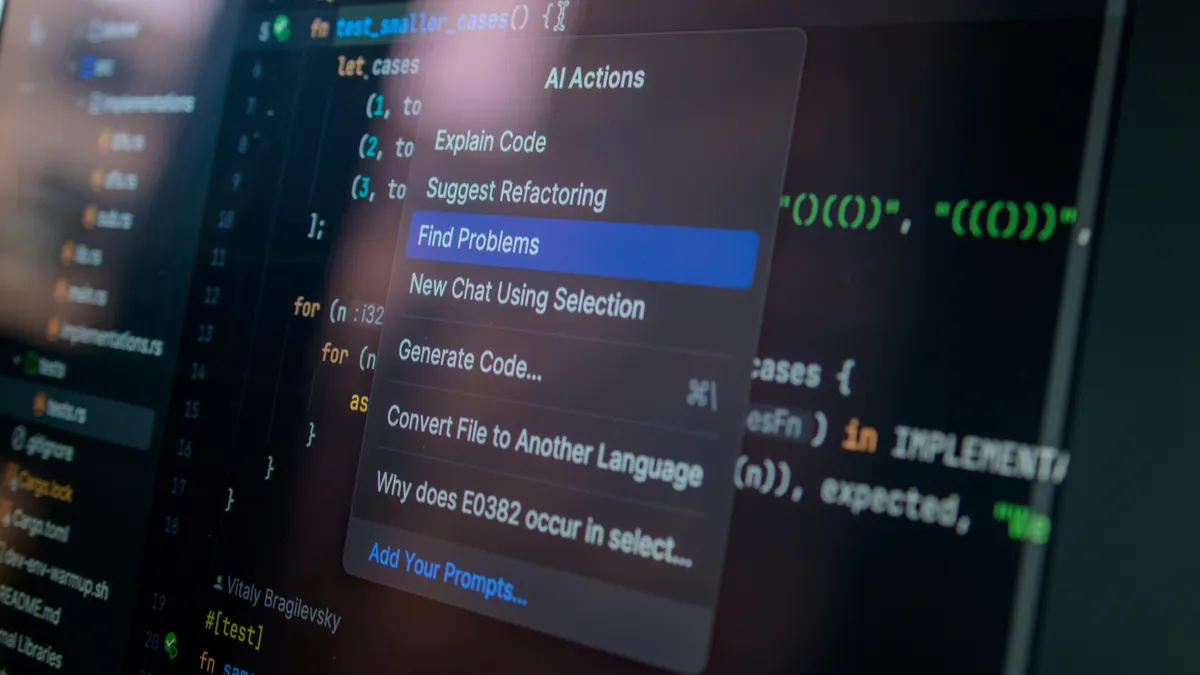
Cursor vs Copilot vs Claude Code: Which AI Coding Assistant Wins in 2026?
I spent 30 days building the same project with Cursor, GitHub Copilot, and Claude Code. Here's my brutally honest comparison, including which one I actually kept using, where each one fails, and the exact scenarios where one beats the others by a mile.
I Rebuilt the Same Project Three Times. Here's What Happened.
So I did something that my therapist would probably call "unnecessary" but my developer brain insisted was "research."
I took a mid-sized Next.js dashboard project, the kind with auth, a few API routes, some charts, and enough UI to make things interesting, and I built it three times. Once with Cursor. Once with GitHub Copilot inside VS Code. And once with Claude Code.
Same project. Same me. Same growing sense of existential dread as I realized I'd committed to this.
I tracked everything. How fast each one was. How often the code actually worked on the first try. How many times I caught myself muttering "what were you thinking?" at my screen. And honestly, the thing I cared about most was whether I enjoyed using it. Because the smartest tool in the world is useless if you dread opening it every morning.
This isn't a surface-level "I tried each for 10 minutes" review. I used each tool as my only AI assistant for an entire project build. That means dealing with their quirks, learning their workflows, and seeing how they handle real-world messiness, not just clean demo scenarios.
Let's get into it.
The Three Players
Cursor is the one that kicked off this whole "AI-first IDE" movement. It's basically VS Code but someone went through and asked "what if AI was everywhere?" Composer mode lets it edit multiple files at once, which sounds small until you try it and realize your old workflow feels like writing with your non-dominant hand. It's backed by Anysphere, has raised serious funding, and has a rapidly growing user base.
GitHub Copilot is the original. You probably already have it installed and forgot about it. It started as fancy autocomplete but now it's got chat, workspace awareness, and some agent-like capabilities. The big selling point is that it lives inside VS Code, so you don't have to change anything about how you work. Backed by Microsoft and OpenAI, it's the safe enterprise choice.
Claude Code is the weird one. Anthropic's terminal-based coding agent. There's no GUI. You open your terminal, type a prompt, and it goes to work: reading files, writing code, running tests, fixing its own mistakes. My first thought was "this is either brilliant or completely unhinged." After using it for a month, I'm comfortable saying it's both. It's the newest entrant but arguably the most ambitious.
What I Actually Built (The Test Project)
To make this a fair comparison, I needed a project that was:
- Big enough to test real capabilities (not just a todo app)
- Small enough to complete three times without losing my mind
- Varied enough to test different skills (frontend, backend, auth, APIs)
The project: A SaaS-style dashboard with:
- User authentication (signup, login, password reset) using Supabase
- A main dashboard page with data visualization (charts, stats cards)
- A user profile/settings page with form validation
- An admin panel for managing users
- REST API routes with proper error handling and rate limiting
- A responsive UI built with Tailwind CSS
- TypeScript throughout (because it's 2026 and we're not animals)
This is the kind of project a freelance developer might build in a week or two. It touches every layer of a modern web app. Perfect for stress-testing AI assistants.
Setup: The First Five Minutes
Cursor was the easiest transition. Download it, sign in, import all your VS Code extensions (it does this automatically), and you're basically home. It looks like VS Code, feels like VS Code, but the AI is everywhere. If you've used VS Code for more than a day, you already know how to use Cursor. The onboarding even walks you through the AI features with a quick interactive tutorial.
One thing I appreciated: Cursor detected my existing VS Code settings (theme, keybindings, font preferences) and imported them without me asking. That's the kind of small detail that makes you feel like the tool was designed by people who actually use it.
Copilot wins on convenience if you're already in VS Code. Install the extension, log in with GitHub, and you're done. But here's the thing I noticed immediately: Copilot feels like an add-on, not a redesign. The chat panel lives off to the side. You're constantly switching between your code and this sidebar. It works, but it never feels like one cohesive experience.
The extension setup was smooth, but I did run into a minor hiccup: Copilot initially didn't recognize my workspace until I restarted VS Code twice. Not a huge deal, but the kind of friction that makes you wonder if the integration is as polished as it should be.
Claude Code is... a vibe, and not the good kind at first. You install it via npm (npm install -g @anthropic-ai/claude-code), open your terminal, navigate to your project, and... that's it. There's nothing to look at. No syntax highlighting. No file tree. Just a blinking cursor waiting for you to type. I sat there for a solid 30 seconds thinking "okay, now what?"
Once you get past the initial awkwardness though, it's surprisingly intuitive. You just... talk to it. Like you're explaining the task to a junior developer who happens to be incredibly fast. The first time I typed "set up the project structure for a Next.js dashboard with Supabase auth" and it actually started creating files, I felt a mix of excitement and mild terror.
My take: Cursor wins on first impressions. It's the one you'll actually want to keep using after day one. Copilot is fine if you never leave VS Code. Claude Code requires a mindset shift, but once you adapt, it's powerful.
Code Generation: Who Writes Better Code?
This is the obvious question, so let's get into it. I asked each tool to build the same features, one at a time, and rated the output on:
- Does it compile?
- Does it follow my existing patterns?
- Does it handle edge cases?
- How much did I need to fix?
The Auth Flow
Cursor's Composer mode is genuinely impressive. You describe what you want and it edits multiple files at the same time. I said something like "add a user preferences endpoint" and it created the API route, updated the TypeScript types, and modified the frontend form. All in one shot. The code followed my existing patterns and worked on the first try roughly 70% of the time. The other 30%? Minor stuff, a missing import here, a typo in a variable name there. Easy fixes.
For the auth flow specifically, Cursor generated a clean Supabase client setup, created the signup and login pages with proper form handling, and even added error messages for common scenarios like "email already exists" and "invalid password." It used the same component patterns I'd been using throughout the project, which told me it was actually reading and learning from my code, not just generating generic boilerplate.
Copilot is more of a careful collaborator. The autocomplete is fantastic, fast and accurate, and it learns your style pretty quickly. But when I asked it to do bigger tasks through the chat, it would give me code blocks that I had to manually copy, paste, and integrate into my project. It's like having a really smart friend who hands you sticky notes instead of just doing the thing. Helpful, but you're still doing the assembly work.
For the auth flow, Copilot gave me well-structured code but I had to wire up the pieces myself. It created the Supabase client, the auth pages, and the API routes, but as separate code blocks I needed to place in the right files. Not terrible, but definitely more manual work than Cursor.
Claude Code was the surprise. Because it runs in the terminal, it can actually execute commands. I'd say "set up the auth flow" and it would create the files, run npm install, check for errors, fix them, and let me know when it was done. The code quality was noticeably better than the other two, Claude's reasoning is just sharper for complex logic. But reviewing code in a terminal window gets old fast. I found myself copying its output into VS Code just to read it with proper syntax highlighting.
Claude's auth implementation was the most robust of the three. It included proper error handling, loading states, and even added a "remember me" checkbox that I hadn't asked for but realized I needed. That kind of proactive thinking is what separates a code generator from a coding partner.
The Dashboard with Charts
This is where things got interesting. Building charts means dealing with data formatting, responsive design, and a third-party library (I went with Recharts).
Cursor handled this well. It installed Recharts, created the chart components, and wired up the data fetching. The charts looked good and were responsive. It even added a loading skeleton while data was being fetched, a nice touch I hadn't explicitly requested.
Copilot gave me the chart code but in a way that required more manual integration. It suggested the right library and wrote functional components, but I had to adjust the styling and data formatting myself. The autocomplete was helpful here though, as I typed out the chart configuration, Copilot's suggestions were usually spot-on.
Claude Code went overboard in the high-performing way. It didn't just create the charts, it created a data transformation layer, added error boundaries around the chart components, and even suggested using a custom hook for data fetching. The code was more complex than what I asked for, but it was better code. The kind of code you'd get from a senior developer who's built dashboards before.
The Settings Page
Form validation is where AI assistants typically stumble. There are so many edge cases, required fields, email format, password strength, matching passwords, handling submission states.
Cursor did a solid job. It used Zod for validation (which I had in my project already, so it picked up on that pattern), created the form with React Hook Form, and handled all the common validation cases. One thing it missed: it didn't add a loading state to the submit button, so users could theoretically double-submit. I caught that in review.
Copilot gave me a basic form with validation but it was the most barebones of the three. It handled the required fields and email format but didn't include password strength checking or the "passwords must match" validation. I had to add those manually.
Claude Code was thorough. It included all the validation rules, added a password strength meter, handled the loading state, and even added a success toast notification after the settings were saved. It was the most complete implementation, though the code was also the most verbose.
My take: Cursor for day-to-day work . it hits the sweet spot between quality and speed. Claude Code when you need something complex and you don't mind working in the terminal. Copilot is fine for smaller tasks but requires more manual assembly for bigger features.
Understanding Your Codebase
This is the thing that separates a gimmick from a tool you actually rely on. If the AI doesn't understand your project's structure, naming conventions, and architectural patterns, it'll generate code that technically works but doesn't fit.
Cursor indexes your whole project when you open it. It builds this internal map of your files, imports, and how they connect. I tested it by asking "where's the auth logic?" and it gave me exact file paths with line numbers. Not a vague "check your auth files" . actual specific locations. That's useful.
But the real test came when I asked it to "refactor the error handling across all API routes to use our custom error class." Cursor found all six API route files, identified the existing error handling patterns, and updated them consistently. It even noticed that one route was using a slightly different pattern and asked if I wanted to normalize that too. That level of awareness is impressive.
Copilot has gotten better at this, but it's still limited. It can see your open files and recently edited code, but it doesn't index the whole project like Cursor does. If you ask it about a file you haven't touched in a while, it'll sometimes just... not know. You end up opening files manually to give it context, which defeats the whole point.
I tested the same refactoring request with Copilot. It handled the routes I had open fine, but completely missed two routes that were in a different folder. I had to manually point them out. That's the kind of thing that makes you lose trust in the tool . if it misses files during a refactor, what else is it missing?
Claude Code actually walks through your file system. It reads everything. On a big project this takes a minute or two, which feels slow, but once it's done, its understanding is deep. It caught a circular dependency in my code that neither Cursor nor Copilot flagged. That's the kind of thing that would've taken me an hour to debug on my own.
When I gave Claude Code the same refactoring task, it found all six routes, updated them, and then proactively checked if any other files imported the old error handling pattern. It found two utility files that needed updating too. That's the kind of thoroughness that makes you feel like you're working with someone who actually cares about code quality.
My take: Claude Code has the deepest understanding. Cursor is faster at finding things and better at real-time awareness. Copilot is... fine, as long as you keep the relevant files open and don't expect it to know about your whole project.
Debugging: The Real Test
I deliberately broke things. Missing error handlers, wrong variable types, a deliberately broken API route, a CSS issue that only appeared on mobile, and a state management bug that caused a re-render loop. Then I asked each tool to find and fix the bugs.
Bug 1: Missing Error Handler
I removed the try-catch block from an API route that fetches user data.
Cursor spotted it immediately. I highlighted the route file and asked "anything wrong here?" and it identified the missing error handling within seconds. It suggested adding a try-catch with proper error responses, and the inline diff made it easy to review before accepting.
Copilot didn't flag it on its own. When I specifically asked "does this API route handle errors properly?" it identified the issue and suggested a fix. But it didn't proactively catch it.
Claude Code found it when I asked it to review the API routes. It not only identified the missing error handler but also pointed out that the route was returning a 200 status code even when the user wasn't found (should be 404).
Bug 2: Type Mismatch
I changed a function to return a string instead of the expected object type.
Cursor caught this through its TypeScript integration. The editor showed the type error, and when I asked about it, Cursor explained the mismatch and suggested the fix.
Copilot also caught this, TypeScript errors show up in VS Code regardless of Copilot, but Copilot did suggest the correct fix when I asked.
Claude Code found it during its file traversal and explained the type mismatch clearly, including why it happened and how to fix it.
Bug 3: The Re-render Loop
This was the fun one. I created a useEffect that updated state, which triggered another render, which triggered the useEffect again. Classic infinite loop.
Cursor identified the issue when I pasted the error message ("Maximum update depth exceeded") and asked for help. It explained the problem and suggested adding a dependency array. But it didn't catch the deeper issue, that the dependency itself was being recreated on every render, which would still cause the loop.
Copilot gave me the same answer . add a dependency array. It missed the same deeper issue.
Claude Code was the only one that caught the full problem. It identified the useEffect, explained the infinite loop, and pointed out that the dependency was an object literal being created inline, which meant it was a new reference on every render. It suggested using useMemo to stabilize the dependency. That's the kind of insight that separates a surface-level fix from an actual solution.
Bug 4: Mobile CSS Issue
A layout that looked fine on desktop was broken on mobile.
Cursor analyzed the CSS and identified the issue . a fixed width that should've been a max-width. Quick fix.
Copilot also identified it when I showed it the broken layout.
Claude Code found it and also suggested a few other responsive improvements I hadn't thought of, like adding a viewport meta tag check and suggesting better breakpoint usage.
My take: Claude Code is the high-performing debugger, no contest. Here's why: it can actually run your code. I asked it to fix a failing test and it ran the test suite, read the error output, modified the code, ran the tests again, and kept looping until everything passed. That's not just prediction . that's actual problem solving. The other two tools guess what might be wrong. Claude Code tests its hypotheses.
For quick fixes, Cursor is faster. But for the bugs that make you want to throw your laptop out the window, Claude Code is the one you want.
Speed: How Fast Is Fast Enough?
Speed matters, but it's not just about raw response time. It's about how the tool fits into your workflow and whether it speeds you up or creates friction.
Cursor responds in about 2-4 seconds for most requests. Composer mode takes a bit longer, 5-10 seconds for multi-file edits, but it's still fast enough that you don't lose your train of thought. The inline suggestions (the Copilot-like autocomplete) are sub-second, which is great for those moments when you're in the flow and just need the next line completed.
What makes Cursor feel fast isn't just the response time, it's that the AI is integrated into the places where you're already working. You don't need to switch to a chat panel or open a terminal. You're writing code, you hit a snag, you ask Cursor right there in the editor, and the answer appears next to your cursor. That seamless integration saves seconds that add up over a day.
Copilot autocomplete is very fast. We're talking sub-second. You type a function name and the suggestion is already there before you finish. Chat responses are on par with Cursor. But the overall workflow feels slower because you're doing more manual work, copying, pasting, integrating.
I timed myself building the settings page with each tool. With Copilot, it took about 45 minutes. With Cursor, it was closer to 30. The difference wasn't in the AI response time . it was in how much manual integration work I had to do.
Claude Code is the slowest on paper. A single request can take 30 seconds to a full minute. But it's slow because it's doing more . reading files, running commands, checking results. And because the output is usually higher quality, I spent less time fixing things afterward. So the "effective speed" was actually pretty competitive.
For the settings page, Claude Code took about 35 minutes. But that included the time it spent running tests, checking for errors, and fixing its own mistakes. By the time it said "done," the page was actually done. With the other tools, "done" usually meant "ready for you to review and fix."
My take: Cursor feels fastest in the moment. Claude Code saves you time overall because there's less rework. Copilot is fast at autocomplete but slower at bigger tasks because of the manual integration overhead.
The Developer Experience: What It Feels Like to Use Each One
This is the part most reviews skip, but it's honestly the most important. A tool can be powerful on paper, but if using it feels like a chore, you won't use it.
Cursor feels like the natural evolution of VS Code. You don't have to learn a new workflow, you just start using it and the AI features reveal themselves as you need them. The inline chat, the Composer mode, the codebase-aware suggestions, they all feel like they belong there. I never found myself thinking "I wish Cursor worked more like X." It just... worked.
The one frustration: occasionally the AI would suggest changes that overwrote something I'd just written. It's rare, but it happened enough that I started being more careful about reviewing diffs before accepting. A minor annoyance in an otherwise smooth experience.
Copilot feels like a really smart autocomplete that occasionally tries to be a chatbot. The autocomplete is genuinely great . it's fast and accurate, and gets better the more you use it. But the chat feature feels bolted on. You're writing code, you have a question, you switch to the sidebar, type your question, wait for a response, then switch back to your code to implement it. That context switching adds up.
I also found that Copilot's suggestions sometimes felt generic. It would suggest code that worked but didn't feel like it understood my project. Like it was drawing from a general knowledge base rather than reading my specific codebase.
Claude Code is the most different experience. You're not writing code alongside an AI, you're directing an AI that writes code for you. It's a fundamentally different relationship. And once you get into that mindset, it's incredibly powerful.
The terminal interface is surprisingly pleasant. Claude Code formats its output well . file paths are highlighted, code blocks are clear, and it gives you a running summary of what it's doing. "Creating file: src/app/api/users/route.ts... Installing dependencies... Running type check... All good." It's like having a developer narrating their work.
The downside: you can't see the code as it's being written. You have to wait for Claude Code to finish, then open the files in your editor to review. For small changes, this is fine. For large refactors, it can feel like waiting for a package delivery, you know it's coming, but you can't see it until it arrives.
Pricing: The Money Talk
Let's be real . price matters. Especially if you're a solo developer or working at a small startup where every dollar counts.
Cursor, Free tier gives you 200 completions a month. That's enough to try it out and decide if you like it. Pro is $20/month for unlimited completions and faster responses. Business is $40/month and adds admin features, SSO, plus usage analytics. For what it does, $20/month feels fair. I pay for Spotify and don't think twice about it, and Cursor saves me more time than Spotify saves me... well, it saves me from silence, so different category.
The free tier is generous enough that you can use Cursor casually without paying. But if you're using it daily, you'll hit the 200-completion limit pretty quickly and the Pro plan becomes almost necessary.
Copilot . $10/month for individuals, $19 for business. It's the cheapest option, and if you're already paying for GitHub, it's a no-brainer add-on. GitHub also offers Copilot for free to students and maintainers of popular open-source projects, which is a nice touch.
The individual plan is genuinely affordable, and for the autocomplete feature alone, it's worth it. But if you're looking for the full AI coding experience (multi-file edits, codebase awareness, agent-like capabilities), you might find yourself wanting more than Copilot offers.
Claude Code pays per use through Anthropic's API. My testing ran about $15-25 per project. If you're a casual user, this could end up cheaper than a subscription. If you're using it every day, the costs add up and you'll probably want to switch to something with a flat rate.
The pay-per-use model is great for experimentation. You can try it without committing to a monthly fee. But the unpredictability of costs can be annoying. Some days you'll spend $0.50, other days $5, depending on how complex your tasks are.
My take: Copilot wins on price. But Cursor at $20/month is worth it if you're coding regularly. Claude Code's pay-per-use model is great for occasional use but can get expensive for daily work.
Privacy and Data Handling
This doesn't get enough attention in AI tool comparisons. When you're pasting your code into an AI assistant, you're potentially exposing proprietary logic, API keys, and business logic to a third party.
Cursor has a privacy mode that disables codebase indexing and sends only the code you're actively working on. They also offer a business plan with data retention controls. For most individual developers, the default settings are fine, but if you're working on sensitive projects, you'll want to review their privacy settings.
Copilot benefits from being part of the GitHub/Microsoft ecosystem. If your organization already has data processing agreements with Microsoft, Copilot fits right in. They also have enterprise-grade security features, including the ability to prevent code from being used for model training.
Claude Code processes your code through Anthropic's API. Anthropic has a strong privacy stance: they don't use customer data for training without explicit consent. But because Claude Code reads your entire codebase, you're sending more data to their servers than with the other tools. If you're working on proprietary code, this is worth considering.
My take: If privacy is your top concern, Copilot has the most enterprise-ready options. For individual developers, all three are reasonably safe, but you should review each tool's privacy policy and configure settings accordingly.
The Ecosystem
A tool doesn't exist in a vacuum. The surrounding ecosystem, extensions, integrations, community support, and documentation, matters just as much as the core product.
Cursor has the advantage of being VS Code-compatible, which means it has access to the entire VS Code extension marketplace. Every extension you use in VS Code works in Cursor. The Cursor-specific community is growing rapidly, with tutorials, YouTube videos, and Discord servers full of developers sharing tips and workflows.
Copilot has the biggest ecosystem by far. It's integrated into VS Code, JetBrains IDEs, Neovim, and even Azure Data Studio. The community is massive, and there are countless tutorials, courses, and blog posts about getting the most out of Copilot. If you run into an issue, someone has probably already solved it and written about it.
Claude Code is newer, so the ecosystem is smaller. But it's growing fast. The terminal-based approach means it works with any editor. You can use it alongside VS Code, Vim, Emacs, or in current usage you prefer. The community is more technical and developer-focused, which means the discussions tend to be higher quality but less beginner-friendly.
My take: Copilot has the most mature ecosystem. Cursor is catching up fast. Claude Code is the newest but has the most passionate early-adopter community.
What I Actually Use Now
Okay, here's the honest part.
Cursor is my daily driver. It's the high-performing overall experience. The AI is woven into the editor in a way that feels natural: it's there when you need it and invisible when you don't. Composer mode is genuinely useful for refactoring and building new features. If you want one tool that does everything well, this is it.
I open Cursor every morning and it's the first thing I use for coding. The inline suggestions keep me in flow, the chat is there when I'm stuck, and Composer mode handles the heavy lifting when I need to make changes across multiple files.
Claude Code lives in a terminal tab that I keep open for the hard stuff. Gnarly bugs, building something from scratch, anything that requires deep reasoning. I'll switch to it when Cursor hits its limits. The two actually work really well together.
My typical workflow: I use Cursor for the bulk of my coding. When I hit a problem that Cursor can't solve, a complex bug, a tricky architectural decision, or a refactoring that spans dozens of files, I switch to Claude Code. It reads the problem, works through it, and gives me a solution that I then implement back in Cursor.
Copilot? I still have it installed. The autocomplete is great for boilerplate, writing out interfaces, repetitive component patterns, that kind of thing. But for anything beyond that, I'm reaching for Cursor or Claude. It's not bad. It's just... not exceptional at anything anymore. It's the reliable sedan in a world where the other two are sports cars.
I keep Copilot around for two reasons: it's cheap, and the autocomplete is genuinely good. When I'm writing straightforward code and don't need the full power of Cursor or Claude, Copilot's autocomplete is fast and accurate enough to keep me productive.
Which One Should You Pick?
If you're trying to decide, here's my honest recommendation based on your situation:
You're a solo developer or on a small team
Go with Cursor. The productivity boost is real and you'll be comfortable within an hour. The learning curve is essentially zero if you've used VS Code. The AI features are integrated in a way that feels natural, not forced. And at $20/month, it's affordable for most individual developers.
Your company has compliance requirements and you're already on GitHub
Go with Copilot. It integrates seamlessly with your existing GitHub workflow and has the high-performing enterprise features. The data handling policies are well-documented and enterprise-ready. Your IT department will have fewer questions to answer.
You're building from scratch or debugging a nightmare
Go with Claude Code. Its reasoning and ability to test its own code puts it ahead. The terminal-based approach gives it direct access to your development environment, which means it can run tests, install packages, and iterate on solutions in a way the other tools can't.
You want the high-performing of all worlds
Do what I do: Cursor as your main editor, Claude Code in the terminal for the heavy lifting. They complement each other better than you'd think. Cursor handles the day-to-day coding with speed and convenience. Claude Code handles the complex problems that require deeper reasoning and execution.
Common Questions
Can I use these tools together?
Yes. I use Cursor and Claude Code together daily. Copilot can also be used alongside the others, though there's some redundancy with Cursor's autocomplete feature.
Do these tools work offline?
No. All three require an internet connection to process your requests through their respective AI models. Cursor does have some local codebase indexing that works offline, but the AI features require connectivity.
What about open-source alternatives?
There are open-source options like Continue.dev and Codeium that offer similar functionality. They're worth exploring if you have specific privacy requirements or want to self-host. I haven't tested them as extensively, but they're improving rapidly.
Will AI coding assistants replace developers?
No. But developers who use AI coding assistants will replace developers who don't. These tools make you faster, not obsolete. The developers who thrive will be the ones who learn to direct AI effectively — knowing when to let it work autonomously and when to step in and take control.
Where Axonix Fits Into All This
We build browser-based dev tools over at Axonix, stuff like the JSON Formatter, API Tester, and Code Minifier. These are the quick-reference utilities you'll still use alongside any AI assistant.
AI can write your code, sure. But sometimes you just need to format some JSON, test an endpoint, or minify a file without opening your whole editor. The future isn't "AI replaces all tools." It's "AI makes the right tools easier to find and use." That's what we're building toward.
Think about it: even with the high-performing AI coding assistant, you'll still hit moments where you need a quick utility. You're debugging an API response and need to see it formatted. You're setting up a webhook and need to generate a test payload. You're optimizing a script and need to see the minified output. These are the moments where Axonix tools shine — fast, browser-based, no setup required.
And as AI coding assistants get better, they'll actually make tools like ours more useful, not less. Because the AI will tell you "hey, you should test this endpoint" and you'll open our API Tester to do it. Or it'll say "this JSON needs formatting" and you'll reach for our JSON Formatter. AI and dedicated tools aren't competitors. They're teammates.
Written in May 2026. This space moves so fast that by the time you read this, there's probably a new AI coding tool claiming to make all three of these obsolete. When there is, I'll test that one too. Someone has to.

Muhammad Abdullah
Technical WriterTechnical writer specializing in web development tutorials and developer tooling guides. Covers frontend frameworks, API integrations, and productivity...
Share this article
Discover More
View all articles
LLM Tokens & Prompt Caching: The Practical Guide
A hands-on engineering guide to LLM tokens. We break down Byte-Pair Encoding quirks, hidden whitespace costs, prompt caching mechanics, and the exact context architecture that reduced our production AI bill by 68%.

Inside AI Coding Agent Harnesses: OpenCode & Claude Code
A foundation model alone cannot edit files, run test suites, or debug code. Explore how modern coding agent harnesses like OpenCode, Claude Code, and DeepSeek scaffold raw LLMs with tool dispatch loops, subagent pipelines, and context compaction engines.

What Is Vibe Coding? And Why It's Taking Over Development
I haven't written a for-loop by hand in months. Here's why that's not a bad thing, what vibe coding actually means, and where it breaks down.
Use These Related Tools
View all toolsAPI Cost Calculator
Compare LLM API pricing, token costs, cached prompts, batch discounts, and monthly AI spend.
Base64 Encoder
Encode or decode text to/from Base64 format.
AI Background Remover
Automatically remove image backgrounds in seconds. Free, fast, and runs in your browser.
AI Text Summarizer
Advanced AI-powered text summarization using browser-native machine learning. Unlimited and completely free.
Need a tool for this workflow?
Axonix provides 100+ browser-based tools for practical development, design, file, and productivity tasks.
Explore Our Tools